How I Built a One-Person AI Software Factory
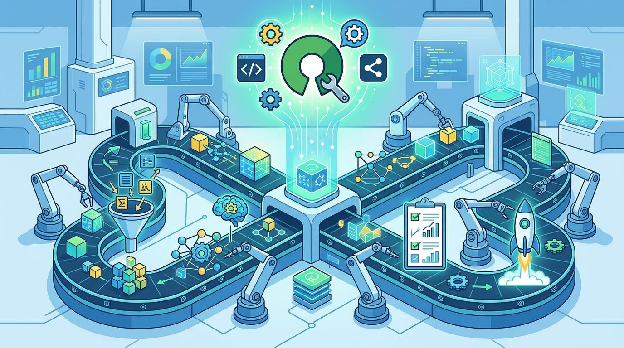
How to use open source tools and GitHub actions to automate your software builds.
Most vibe coders ship code with nothing between git push and production. No linting gates. No security scans. No contract tests. It works until it doesn’t… and when it doesn’t, you’re debugging a production outage at 11 PM on a Friday. As a long term product manager, I knew that I wanted my SaaS product to be secure and tested even though I didn’t know how to build all the frameworks and scripts myself. This article describes the end result, not the painful process that I went through to get here.
Over the past year building Fictivize, a serialized fiction platform running on AWS, I assembled what I’d call a personal software factory: a layered system of automated checks that catches bugs, vulnerabilities, and regressions before they reach users. The whole thing runs on free-tier GitHub Actions, open-source tools, and a handful of configuration files. Here’s how you can build one too.
First Things First: What is an AI Software Factory?
While definitions vary, the high level concept is that an AI software factory turns requirements into running production code.
This could mean extremely high levels of automation or it could mean just a basic level. The actual details are less important than the philosophy that if you are going to build software, you need some sort of structured process for putting code into production. In my course on Maven, I refer to this as “Mindful AI Coding” but the term AI Software Factory has become more common lately so I’ve started using that term.
For me, the part that really matters is your software pipeline. Once code is written, what happens to get that code into production. How to you ensure that you’re not introducing regressions or security concerns with this push? How do you know that your site will continue to work properly after this change?
One thing we know for certain is that projects with little or no automated testing produce significantly inferior results compared to those that have some sort of automation.
So, how do you build this automation for yourself using free tools?
The Philosophy: Shift Everything Left
The core idea is simple. Every check that can run earlier, should run earlier. I enforce this through three gates, each progressively broader:
- Pre-commit hooks run on your machine before code is even committed
- CI pipelines run on every pull request before code is merged
- End to End tests run on staging prior to any push to prod
If a bug can be caught at gate one, it should never reach gate two. If a security issue can be caught at gate two, it should never reach gate three. This layered approach means production incidents are rare, and when they do happen, they’re the genuinely surprising kind -- not the kind where you forgot to run the tests.
My project was written in node.js and Typescript primarily and I use Python for scripting. So, the examples below focus on that ecosystem. I am also a big believer in Terraform (full disclosure, I am a former HashiCorp employee) so my build uses Terraform to deploy all the site infrastructure. This means that I am also checking for infrastructure configuration issues as part of this setup. I am also a big believer in PaaS services so I use Cognito, Lambda and Amplify for hosting my site. This means I don’t have bugs around user login, core web services, logging, etc.. Naturally, the details will vary a bit depending on the choices you make.
Gate One: Pre-Commit Hooks
I use two hook systems that chain together: Python’s pre-commit framework for infrastructure and security scanning, and Husky (the Node.js hook manager) for application code.
Husky for Application Code
Husky runs three hooks. The pre-commit hook is the workhorse. It detects which directories have staged changes and runs only the relevant checks:
- ESLint for code quality and style enforcement
- lint-staged to format changed files with Prettier
- TypeScript type checking to catch type errors before they reach CI
- npm audit against production dependencies, with a maintained allowlist of known false positives
- Jest tests with coverage -- but only when actual source code changed, not when you’re editing a README
The pre-push hook runs the full test suite again with coverage thresholds and a production build to catch bundling issues. The commit-msg hook enforces commit message conventions. For example, rejecting non-ASCII characters that cause encoding issues downstream with the AWS CLI.
pre-commit for Infrastructure and Security
For Terraform changes, the pre-commit framework runs terraform fmt, terraform validate, tfsec (a static security scanner for Terraform), and Checkov (another infrastructure-as-code security scanner). Two scanners may sound redundant, but tfsec excels at AWS-specific checks while Checkov catches broader compliance issues like missing encryption or overly permissive IAM policies.
The same pre-commit config also runs Semgrep, an open-source static analysis tool, against changed TypeScript and JavaScript files. Semgrep is configured with OWASP Top Ten rules, TypeScript-specific rules, and custom project rules. More on that in a moment.
The key principle: all of this runs automatically. You don’t think about it. You commit, it runs. If something fails, you fix it before it ever becomes a pull request.
Gate Two: CI Pipelines
I have separate GitHub Actions workflows for backend and frontend, each triggered only when files in their respective directories change. This keeps CI fast -- a backend-only change doesn’t waste time building the Next.js frontend.
The Backend Pipeline
The backend workflow runs seven parallel jobs after an initial lockfile fix (needed because Dependabot sometimes creates inconsistent package-lock.json files):
- Lint and Type Check -- ESLint and TypeScript compiler verification
- Security Audit -- npm audit with the same false-positive filtering as the pre-commit hook
- Hallucinated Package Check -- a custom script that verifies every dependency in package.json actually exists on the npm registry (more on this below)
- SAST Scan -- Semgrep with OWASP Top Ten, TypeScript, and security-audit rulesets, producing SARIF output that integrates with GitHub’s Security tab
- Unit Tests -- Jest with coverage reporting that posts results directly on the PR
- Contract Tests -- validates that the API implementation matches the OpenAPI specification
- Build -- compiles TypeScript and checks that Lambda bundle sizes stay under 5MB
The frontend pipeline mirrors this structure with the addition of React and Next.js-specific Semgrep rules, and a bundle size check for the Next.js build output.
Every pipeline ends with a status-check job that gates merging. If any required job fails, the PR cannot be merged.
Why Contract Tests Matter
Contract tests are one of the most underrated CI checks. They validate that your API routes, request schemas, and response schemas match what your OpenAPI specification promises. Without them, documentation drifts from reality and consumers of your API (including your own frontend) break in subtle ways. We run them after unit tests pass, treating the spec as a source of truth.
The Hallucinated Package Problem
When you use an AI coding assistant, there’s a real risk of it suggesting npm packages that don’t exist. An attacker could register those phantom package names and inject malicious code. Our hallucinated package checker script queries the npm registry for every dependency and flags any that return a 404. This check is skipped for Dependabot PRs (which only update existing packages) to avoid rate-limiting issues.
Gate Three: Post-Deploy Verification
After deployment, two more automated systems kick in.
DAST Scanning with OWASP ZAP
The deploy script triggers a ZAP (Zed Attack Proxy) baseline scan against the deployed application. ZAP crawls the site and tests for common web vulnerabilities -- missing security headers, cookie issues, information disclosure, and more. Results are uploaded to GitHub’s Security tab as SARIF findings alongside the Semgrep results, giving you a single dashboard for all security issues. Findings that are known false positives or accepted risks are suppressed through a rules file checked into the repo.
Nightly Smoke Tests
A scheduled GitHub Actions workflow runs Playwright end-to-end tests against production every night at 2 AM UTC. These aren’t the full E2E suite -- they’re focused smoke tests that verify critical user paths: can readers browse stories, can the API respond, are pages loading correctly. Results are stored in S3 with a 90-run history, feeding an admin dashboard that tracks pass rates over time.
When smoke tests fail, the workflow automatically creates or updates a GitHub issue, ensuring failures don’t go unnoticed even if nobody checks the Actions tab.
The Dependency Treadmill
Keeping dependencies current is a full-time job if you do it manually. Dependabot handles this across five ecosystems in our project:
- npm for both backend and frontend (separate configurations)
- pip for Python CI scripts (Semgrep and deployment tools)
- GitHub Actions for workflow action versions
- Terraform for infrastructure provider versions
Each ecosystem runs weekly on Monday mornings. Dependencies are grouped -- production and development dependencies are batched into separate PRs to reduce noise. Major version updates are excluded (those need manual review) while minor and patch updates flow through automatically, validated by the same CI pipeline as any other PR.
This automation accounts for roughly 60% of our merged pull requests. That sounds high, but it means our dependencies stay within a week of current rather than months or years behind; a significant security posture improvement.
Custom Semgrep Rules
Beyond the standard rulesets, I maintain project-specific Semgrep rules in a .semgrep/ directory. These encode lessons learned from real bugs: patterns like unsafe use of JSON.parse without error handling, or API routes missing authentication middleware. When you fix a bug, write a rule that prevents it from recurring. Your SAST scanner becomes a living record of your project’s hard-won knowledge.
Scripted Deployment
The deployment itself is a Python script, not a series of manual AWS console clicks. It handles:
- Git state verification (clean working directory, all commits pushed)
- AWS credential validation
- Backend deployment via Terraform (init, plan, apply)
- Frontend deployment via AWS Amplify
- Post-deploy DAST scanning
- Deployment history tracking
A --dry-run flag lets you verify everything without actually deploying. The script enforces confirmation prompts for production deployments and records every deployment with timestamps and outcomes.
What This Costs
Nearly nothing. GitHub Actions provides 2,000 free minutes per month for private repos. Semgrep is open source. ZAP is open source. Dependabot is free. The pre-commit tools are free. Playwright is free. The only ongoing cost is your time to maintain the allowlists and review Dependabot PRs -- perhaps two hours per week.
How to Get Started
You don’t need to build all of this at once. Start with three things:
- Install Husky and add a pre-commit hook that runs your linter and tests. This single step will catch most regressions before they leave your machine.
- Add a CI workflow that runs tests and
npm auditon every PR. Use GitHub’s branch protection to require it. - Set up Dependabot for your package ecosystems. Accept the minor/patch update PRs weekly. Your future self will thank you.
Once those are working, layer in Semgrep for SAST, contract tests for API drift, and ZAP for post-deploy verification. Each addition is incremental, and each one closes another class of bugs.
The goal isn’t perfection. It’s a ratchet -- each layer makes it harder for problems to reach production, and once a check is in place, it runs forever without you thinking about it. That’s the real value of a software factory: it turns discipline into automation, freeing you to focus on the work that actually matters.